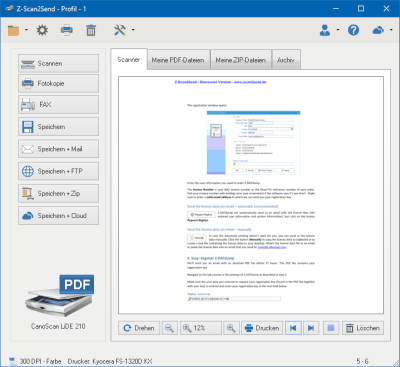
Z-Scan2Send ist ein Programm zum einfachen, automatisierten Scannen und Versenden von gedruckten Dokumenten als PDF-Datei über das Internet.
Neben dem Versand der PDF-Datei als E-Mail unterstützt das Programm auch die sichere Dateiübertragung mit dem SFTP/FTP/FTPS Protokoll. Das ermöglicht eine schnelle und sichere Übermittlung von gedruckten Unterlagen, z.B. zwischen Filiale und Firmenzentrale oder Selbstbucher und Steuerberater.
PDF versenden
Ist die Software einmal konfiguriert, kann man die gescannte Vorlage als PDF-Datei mit einem Mausklick sichern, signieren und als E-Mail versenden.
Scan to PDF / TIFF / ZIP
Mit der Software Z-Scan2Send lassen sich aus gescannten Vorlagen PDF/TIFF-Dateien oder verschlüsselte ZIP-Archive erstellen.
Passwortschutz für PDF und ZIP
Die Verschlüsselungsfunktion von Z-Scan2Send bietet Ihnen die Möglichkeit, vertrauliche Dokumente vor dem Zugriff durch unberechtigte Personen zu schützen. PDF- und ZIP-Archive können optional von Z-Scan2Send anhand eines von Ihnen festgelegten Passworts verschlüsselt werden. Der ursprüngliche Inhalt der verschlüsselten Dateien lässt sich anschließend nur noch nach Eingabe des richtigen Kennworts wieder extrahieren.
Alle benutzten Warenzeichen und Firmenbezeichnungen unterliegen dem Copyright der jeweiligen Firmen.